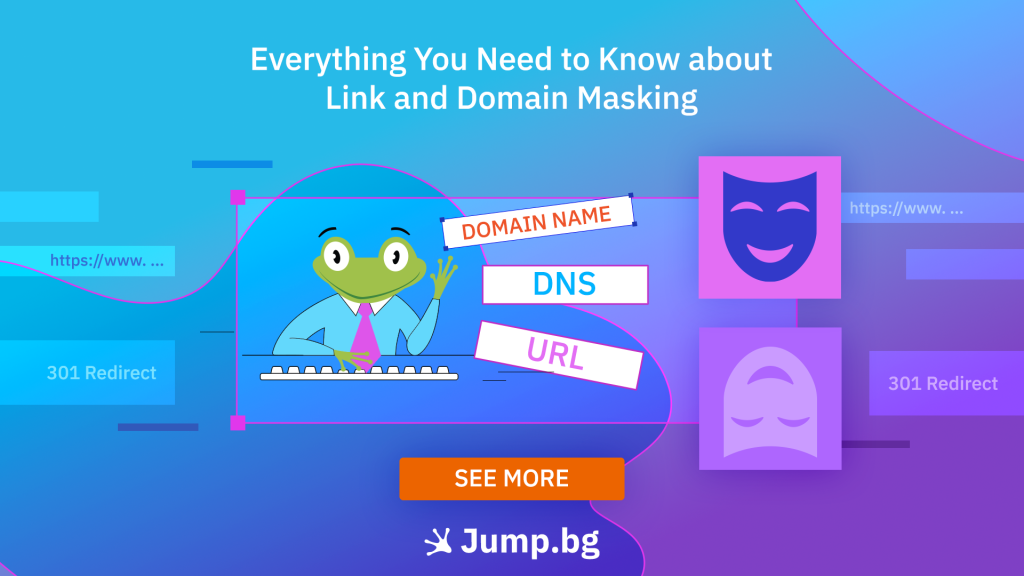
Not every URL is designed with users in mind. Long, complex URLs are difficult to share, harder to remember, and can discourage users from clicking on them. That's why many website owners use link shorteners to turn long URLs into shorter, clearer, and more recognizable links that are easier to share.
Domain cloaking is a different technique where one domain remains visible in the browser while the content is loaded from another address.
In the following sections, we will explain how link shortening and domain masking work, explore their advantages and limitations, examine their impact on SEO, and discuss when a redirect is the better choice.
Key Takeaway:
Link shortening, also referred to as link masking, replaces long and complex URLs with shorter, branded links that lead to the same destination page. Domain masking keeps one domain visible in the browser while the content is actually served from a different web address. Although both techniques can improve branding and usability, they have different implications for SEO. When a URL changes permanently, a 301 redirect is generally the recommended approach because it provides search engines with a clear signal.
What Is Link Shortening?
Link shortening, also referred to as link masking, replaces a long or complex URL with a shorter, easier-to-share link that redirects users to the same destination page. Instead of seeing the original address, users are presented with a cleaner and often branded URL that is easier to recognize and remember.
For example, jump.bg/promo may redirect to a much longer URL containing tracking parameters or affiliate information. The destination page remains the same, but the shared link appears shorter and more professional.
What Is Domain Masking?
With domain masking, one domain remains visible in the browser's address bar while the content is actually loaded from another web address. This allows visitors to access a website through a custom or branded domain without seeing the actual location where the content is hosted.
For example, an online store may use the address shop.yourbrand.com, while the store itself is built and hosted on a platform using the address yourbrand.platform.com. Visitors see the platform's content, but the browser continues to display the branded domain shop.yourbrand.com. Depending on the implementation, this can be achieved using frames or a reverse proxy.
Common Uses and Benefits of Link Shortening and Domain Masking
Shorter and More Memorable URLs
Long URLs containing multiple directories and tracking parameters are difficult to remember and inconvenient to share. Link shortening replaces them with cleaner, branded addresses that work well in emails, social media posts, presentations, and printed marketing materials.
Stronger Brand Recognition
Branded links appear more trustworthy than URLs generated by unfamiliar shortening services. For example, instead of using a generic address such as short.link/8xK2p, a company can use yourbrand.com/offer. This allows users to recognize the brand before clicking and gives them a better idea of where the link will take them.
Cleaner Affiliate and Marketing Links
Affiliate and advertising URLs often contain long tracking parameters. Link shortening presents them in a cleaner format without changing the destination page. For example, a lengthy affiliate URL can be replaced with yourdomain.com/recommendation, making it easier to include in a blog post, email, or advertising campaign.
Easier Campaign Management
When managing multiple campaigns, shortened links can be organized and tracked from a single location. If necessary, the destination URL can be updated without changing the branded link that has already been published. For example, yourbrand.com/summer-offer can continue to be used even after the promotional page has been moved to a new URL.
Accessing Content Through a Consistent Branded Domain
Domain masking allows content hosted on an external platform to be accessed through your own branded domain. This helps maintain a consistent online presence because visitors continue to see the company's domain in the browser's address bar. However, this approach should be implemented carefully due to its potential technical and SEO limitations.
How Do Link Shortening and Domain Masking Affect SEO?
Link shortening and domain masking can influence how search engines crawl, interpret, and index content. Their SEO impact depends on the specific method used and how it is technically implemented.
Link Shortening and SEO
Properly configured shortened links do not directly affect SEO. Search engines can follow the redirect and reach the destination page, but the outcome depends on the type of redirect being used. When a URL has been permanently moved, and the change should be recognized by search engines, a 301 redirect is generally the preferred solution.
Domain Masking and SEO
Domain masking carries greater SEO risks. Configurations that rely on frames can make it more difficult for search engines to crawl content and determine which URL should be indexed. They can also lead to duplicate content issues or cause an inappropriate URL to appear in search results. In most cases, a redirect or a properly configured canonical URL is a more reliable solution.
Link Shortening Is Not SEO Cloaking
Link shortening should not be confused with cloaking. Cloaking is the practice of showing search engines different content from what users see in an attempt to manipulate search rankings. Google considers cloaking and deceptive redirects to be spam practices that may result in reduced visibility or manual actions.
Link Shortening vs. 301 Redirects
Link shortening is typically implemented through a redirect, but it does not necessarily serve the same purpose as a 301 redirect. A shortened link is primarily used to simplify sharing, strengthen branding, and track marketing campaigns. A 301 redirect tells both users and search engines that a URL has been permanently moved.
| Feature | Link Shortening | 301 Redirect |
| Primary Purpose | Creates a short, branded link pointing to a specific page | Permanently redirects one URL to another |
| What Users See | The shortened link before clicking and the destination URL after the redirect | The new URL after the redirect |
| Typical Use Cases | Marketing campaigns, affiliate links, social media, and printed materials | Website migrations, URL structure changes, moved pages, and page consolidation |
| SEO Impact | Depends on the type of redirect used but is generally limited when configured correctly | Signals a permanent move and transfers ranking signals to the new URL |
| Best Used For | Simplifying link sharing, branding, and campaign tracking | Permanent URL changes while preserving accumulated SEO value |
Best Practices for Link Shortening and Domain Masking
- Use link shortening with a clear purpose: Apply it to simplify sharing, strengthen branding, or track marketing campaigns, not to hide the final destination from users.
- Use 301 redirects for permanent changes: Whenever you move a page or change your website's URL structure, set up a 301 redirect from the old URL to the new one. This ensures users reach the correct page while providing search engines with a clear signal that the move is permanent.
- Choose clear and recognizable URLs: Your shortened URL should include your brand or clearly indicate the destination. This makes links easier for users to understand and increases trust before they click.
- Do not mislead users or search engines: Never use link shortening or domain masking to hide suspicious destinations or display different content to users and search engines. Such practices may be considered spam.
- Monitor your links and their destinations: Regularly verify that shortened links point to the correct destination and do not create redirect chains, redirect loops, or broken links.
- Test everything before publishing: Confirm that your links work correctly across different devices and major browsers, tracking functions as expected, and the destination page loads without errors.
Conclusion
Understanding link shortening and domain masking is only one part of building a well-structured website. Whether you are managing domains, configuring redirects, or optimizing your URL structure, choosing the right implementation can improve user experience, help search engines understand your site more effectively, and support long-term SEO performance.
At Jump.BG, we provide domain services, web hosting, and everything you need to build and grow your online presence. Whether you are planning your next web project or need assistance with domain management, our team is ready to help. Contact us at support@jump.bg or call +359 2 428 8888.